
Founder and editor of We Are MacWise, with more than 30 years of Apple-focused IT experience helping professionals and small businesses.
Running a full-service freelance design business from a single tablet sounds like a compromise. For a growing number of independent designers in 2026, it is the deliberate choice — not a workaround. The iPad Pro, paired with the right apps and accessories, now handles the complete arc of a client engagement: discovery calls, contracts, design work, file delivery, and invoicing. This article documents exactly how that works, what tools make it possible, and where the real limits still lie.
Key Takeaways
- The M4 iPad Pro (2024) has enough processing power to handle professional-grade vector, raster, and layout work without noticeable lag.
- A focused app stack — typically five to eight apps — covers every business function a solo designer needs.
- Apple Pencil Pro and the Magic Keyboard with Trackpad are the two accessories that close the gap between iPad and a traditional desktop setup.
- iCloud Drive, combined with a secondary service like Dropbox, handles client file sharing reliably.
- The biggest remaining friction points are font management, multi-window multitasking, and exporting to certain legacy file formats.
- External display support in iPadOS 18 has improved significantly, making a dual-screen setup genuinely viable.
- Most freelancers who make the switch report lower hardware costs and a meaningful reduction in desk-dependency.
What Does a Full iPad Pro Business Stack Actually Look Like?
The phrase “running a business on iPad” means different things to different people. For a freelance designer, it means every billable and administrative task — not just sketching — happens on one device. That includes client communication, contracts, time tracking, invoicing, file management, and the design work itself.
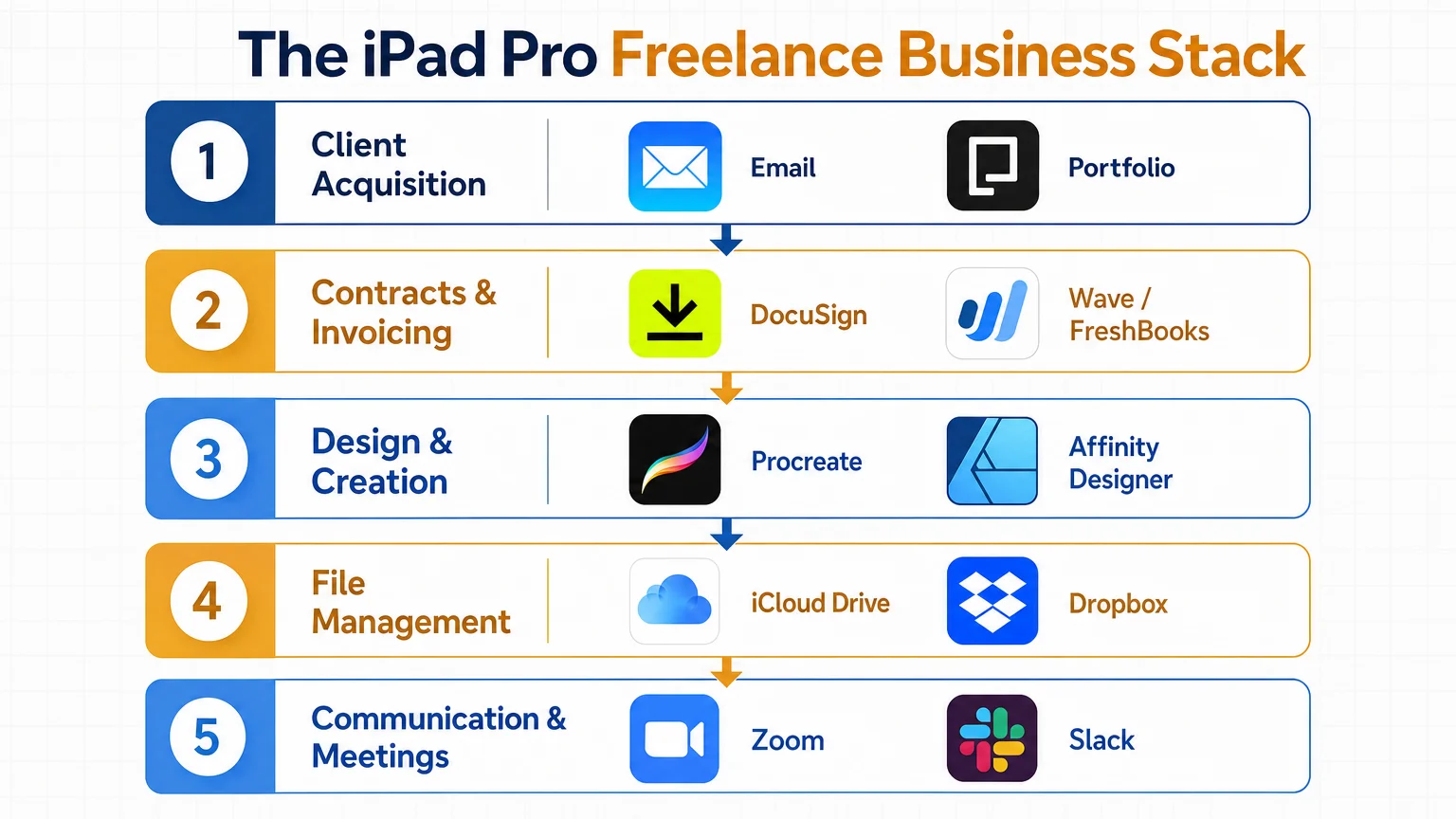
A practical stack for a solo designer in 2026 looks like this:
| Function | Primary App | Backup / Alternative |
|---|---|---|
| Design (vector) | Affinity Designer 2 | Vectornator (Linearity Curve) |
| Design (raster / illustration) | Procreate | Adobe Fresco |
| Layout / print | Affinity Publisher 2 | Canva Pro |
| Contracts | DocuSign | Adobe Acrobat Sign |
| Invoicing | FreshBooks | Wave |
| Time tracking | Toggl Track | Timery |
| File management | iCloud Drive + Dropbox | Google Drive |
| Communication | Slack + Zoom | FaceTime + Mail |
| Notes / briefs | Notion | Apple Notes |
The Affinity suite deserves particular mention. Serif’s three-app bundle — Designer, Photo, and Publisher — costs a one-time fee and covers the vast majority of professional design deliverables without a subscription. For designers who previously relied on Adobe Creative Cloud, the transition requires some adjustment, but the iPad-native experience in Affinity’s apps is genuinely polished.
Which iPad Pro Model and Accessories Are Worth the Investment?
The M4 iPad Pro is the only model worth specifying for a full business workflow in 2026. Earlier M1 and M2 models still perform well for most tasks, but the M4’s increased RAM ceiling (up to 16 GB) and the tandem OLED display make extended work sessions noticeably more comfortable. If budget is a constraint, the M2 iPad Pro remains a capable choice — the M1 model is showing its age with heavier Affinity Publisher documents.
Essential accessories:
- Apple Pencil Pro — The squeeze gesture and barrel roll support are not gimmicks; they reduce the number of taps needed to switch tools in Procreate and Affinity Designer by a meaningful margin.
- Magic Keyboard with Trackpad — The trackpad transforms iPadOS multitasking. Cursor precision for selecting anchor points in vector work is close enough to a mouse that most designers stop noticing the difference within a week.
- USB-C hub — A compact hub (Anker and CalDigit both make reliable options) adds SD card reading, HDMI output, and extra USB-A ports. Essential for card-based camera workflows and external display connections.
- External display — iPadOS 18’s Stage Manager improvements mean a 4K external monitor is now a practical second screen rather than a mirrored afterthought.
For a deeper look at the best accessories for this kind of setup, the best iPad accessories for creative professionals 2026 guide covers current hardware in detail.
How Does Client Communication and Contracts Work Without a Mac?
This is the area where iPad skeptics most often expect friction, and it is also where iPadOS has improved most consistently. Email, video calls, and document signing all work without compromise.
Contracts are handled through DocuSign’s iPad app, which allows a designer to prepare, send, and countersign agreements entirely on-device. FreshBooks generates professional invoices, tracks payment status, and connects to Stripe for card payments — the iPad app is functionally identical to the web version. For client briefs and project scoping, Notion’s iPad app supports full database functionality, meaning intake forms, project timelines, and asset libraries all live in one place.
The one genuine gap is advanced spreadsheet work. Numbers handles most financial tracking adequately, but designers who maintain complex multi-client budget models may find themselves reaching for a Mac or web-based Google Sheets for those specific tasks.
How Does the Design Workflow Handle Professional Deliverables?
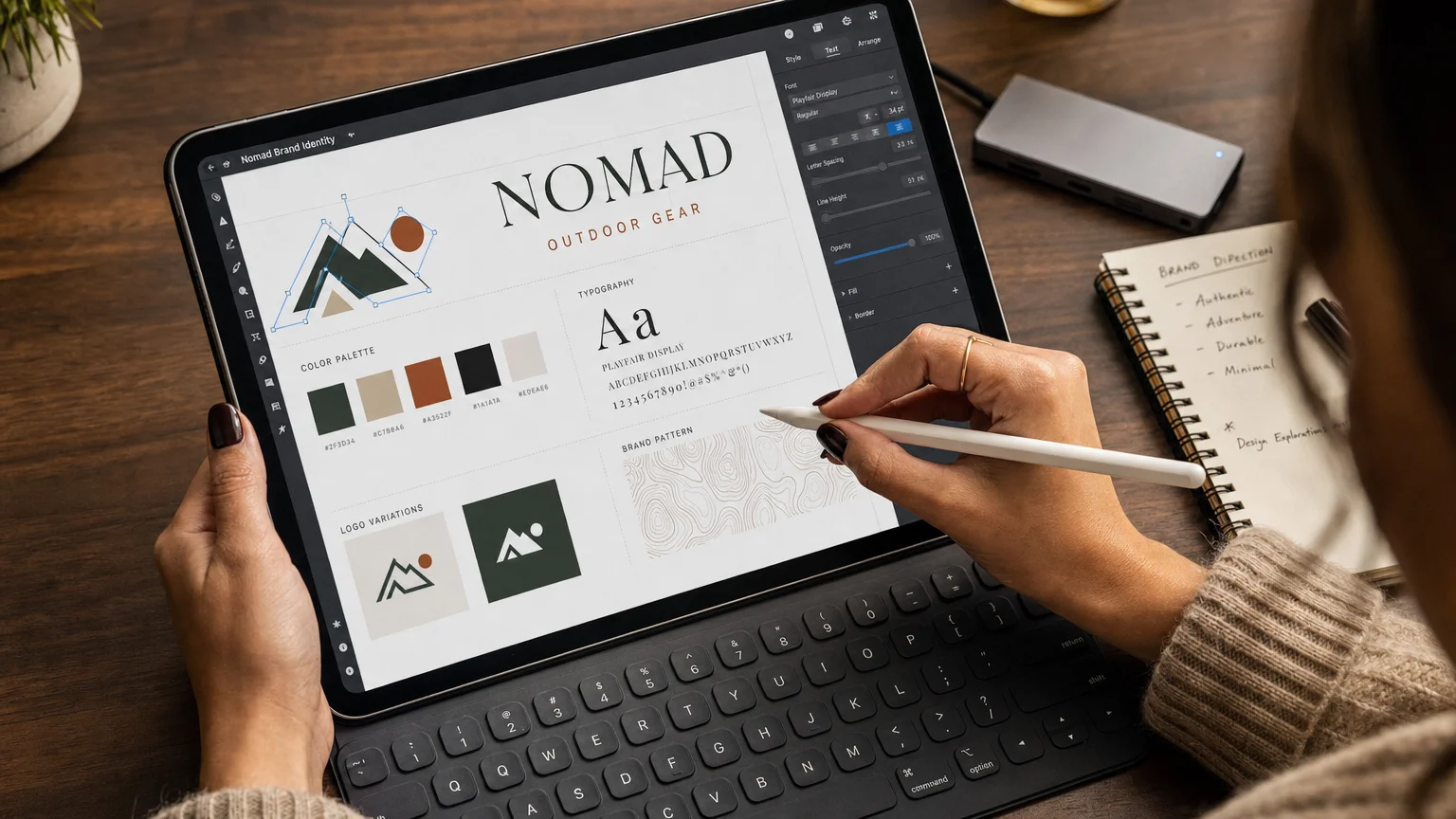
Professional deliverables — brand identity packages, print-ready PDFs, web assets, social media graphics — all leave the iPad in formats clients expect. Affinity Designer 2 exports to SVG, EPS, PDF (print-ready with bleeds and crop marks), and PNG at any resolution. Procreate exports layered PSD files that open cleanly in Photoshop on a client’s machine.
The workflow for a typical brand project runs like this:
- Discovery — Notion brief, Zoom call recorded via the native screen recording tool.
- Concept sketching — Procreate with Apple Pencil Pro, rough ideation.
- Vector development — Affinity Designer 2, refined logo construction.
- Brand system layout — Affinity Publisher 2, brand guidelines document.
- Export and delivery — iCloud shared folder or Dropbox link, PDF and native files packaged together.
- Invoice — FreshBooks, sent immediately on project completion.
Font management remains the most persistent frustration. iPadOS does not have a system-level font manager comparable to macOS Font Book. The workaround — using an app like Fontcase or AnyFont to install fonts system-wide — works, but it adds a step that feels unnecessary on hardware this capable. This is an area where Apple’s iPadOS team still has visible work to do.
For designers curious about how larger creative teams approach Apple hardware transitions, the how a 10-person design studio moved to Apple Silicon case study offers useful context on scaling Apple-native workflows.
What Are the Real Limitations of Running a Design Business on iPad Pro?
Honesty matters here. The iPad Pro is not a Mac, and certain workflows expose that clearly.
Where friction remains in 2026:
- Complex multi-window work — Stage Manager is better, but managing five or six windows simultaneously is still less fluid than macOS.
- Plugin ecosystems — Sketch plugins, Figma’s desktop-specific extensions, and certain After Effects workflows have no iPad equivalent.
- 3D and motion design — Cinema 4D, Blender, and After Effects are not available natively on iPadOS. Designers who do motion work need a Mac or use cloud rendering services accessed via browser.
- Legacy client file formats — Receiving an
.aifile from a client who uses older Illustrator versions occasionally produces import artifacts in Affinity Designer. - Browser-based tools — Figma’s iPad app is functional but not at full feature parity with the desktop version as of early 2026.
The honest framing: a freelance designer whose work is primarily brand identity, illustration, editorial layout, and social content can run entirely on iPad Pro without meaningful compromise. A designer whose work regularly involves motion graphics, complex web prototyping, or heavy 3D will need a Mac in the workflow.
How Does File Storage and Security Work for Client Data?
Client data security is a professional obligation, not just a personal preference. iCloud Drive with Advanced Data Protection enabled provides end-to-end encryption for stored files — a meaningful baseline. For client-facing file sharing, Dropbox Business or a dedicated client portal (Copilot, HoneyBook) adds a layer of professionalism and access control.
iPadOS 18’s improved Files app supports folder-level permissions and direct SMB server connections, which matters for designers working with clients who use shared network storage. Face ID on iPad Pro provides biometric protection for the device itself, and app-level locks (available in most professional apps) add a second barrier for sensitive project files.
For a broader look at Apple privacy practices, iPhone privacy settings every user should review right now covers the underlying privacy architecture that applies across Apple devices.
Conclusion
The question of how a freelance designer runs her entire business on iPad Pro has a clear answer in 2026: carefully, with the right app stack, and with honest awareness of where the remaining gaps are. For the majority of solo designers working in brand identity, illustration, and editorial design, the iPad Pro is not a compromise device — it is a deliberate, capable, and genuinely portable professional tool.
The designers who thrive on this setup tend to share one trait: they chose their tools intentionally rather than defaulting to what the industry assumes. That same intentionality is worth applying to every layer of the workflow, from the apps to the accessories to the file organization habits that keep client work organized and secure.
For more on how Apple hardware fits into professional creative work, explore the how a 10-person design studio moved to Apple Silicon feature, or check the best iPad accessories for creative professionals 2026 guide before making any hardware decisions.
Frequently Asked Questions
Can the iPad Pro fully replace a MacBook for a freelance designer?
For designers focused on brand identity, illustration, and print layout, yes — the iPad Pro handles those workflows without meaningful compromise in 2026. Designers who regularly work with motion graphics, complex Figma prototyping, or 3D software will still need a Mac for those specific tasks.
Which iPad Pro model is best for professional design work?
The M4 iPad Pro is the current recommendation for heavy design work, primarily because of its 16 GB RAM ceiling and OLED display. The M2 iPad Pro remains a capable and more affordable option for most tasks.
Does Procreate export files that clients using Photoshop can open?
Yes. Procreate exports layered PSD files that open correctly in Adobe Photoshop. It also exports high-resolution PNGs, JPEGs, TIFFs, and animated GIFs.
How do freelance designers handle contracts and invoicing on iPad?
DocuSign handles contract preparation, sending, and countersigning entirely within its iPad app. FreshBooks and Wave both offer full-featured iPad apps for invoicing, payment tracking, and basic expense management.
Is Affinity Designer 2 a viable Adobe Illustrator replacement on iPad?
For most professional vector work — logo design, icon sets, brand systems, print-ready artwork — Affinity Designer 2 is a capable replacement. It lacks some of Illustrator's plugin ecosystem and certain advanced type-on-path features, but the core toolset is professional-grade.
What is the best way to manage fonts on iPad Pro?
AnyFont and Fontcase are the two most reliable font management apps for iPadOS. Both allow system-wide font installation, meaning installed fonts appear in Affinity Designer, Procreate, and other apps that support custom fonts.
How does external display support work on the M4 iPad Pro?
iPadOS 18 supports extended display mode via USB-C or through a compatible hub. Stage Manager must be enabled. The iPad functions as the primary screen while the external display shows a separate workspace — not just a mirror of the iPad screen.
Founder and editor of We Are MacWise, with more than 30 years of Apple-focused IT experience helping professionals and small businesses.
