
Founder and editor of We Are MacWise, with more than 30 years of Apple-focused IT experience helping professionals and small businesses.
Apple Business Essentials became generally available in March 2022, and by 2026 it remains one of the most underused tools in the Apple ecosystem for companies with fewer than 500 employees. If your team runs on Macs, iPhones, and iPads but you have no formal way to manage those devices, this subscription deserves a serious look.
Quick Answer: Apple Business Essentials is a subscription service that bundles device management, iCloud storage, and AppleCare+ support into a single monthly plan for small businesses. It lets owners or IT administrators enroll devices, push apps, enforce security policies, and get priority support — all without needing a dedicated IT department.
Key Takeaways
- Apple Business Essentials is designed specifically for businesses with fewer than 500 employees.
- Plans start at $2.99 per user per month and scale with storage and device needs.
- It combines Mobile Device Management (MDM), iCloud storage, and AppleCare+ in one subscription.
- Devices can be enrolled and configured remotely — useful for distributed or hybrid teams.
- The service integrates directly with Apple Business Manager for app and content distribution.
- AppleCare+ for Business Essentials includes unlimited repairs for eligible hardware damage.
- It does not replace enterprise-grade MDM platforms like Jamf for complex deployments.
- Small businesses already deep in the Apple ecosystem will see the most immediate value.
What Exactly Is Apple Business Essentials?
Apple Business Essentials is a subscription service sold directly by Apple that packages three things small businesses typically have to source separately: device management, cloud storage, and hardware support. It is built on top of Apple Business Manager, Apple’s free web portal for managing Apple IDs, devices, and app licenses.
The service is designed for organizations that want Apple-native management without the overhead of a third-party MDM platform. Each plan is priced per user per month, and users can be assigned up to three devices depending on the tier chosen. The management layer is delivered through a configuration profile that can be pushed to enrolled devices over the air.
For a fuller picture of what Apple services cost across the board, the complete 2026 iCloud pricing and alternatives guide is worth reading alongside this one.
What Do the Plans Actually Include?
Apple Business Essentials offers three main plan tiers, each with different storage and device allowances:
| Plan | Monthly Price (per user) | iCloud Storage | Devices per User | AppleCare+ |
|---|---|---|---|---|
| Essentials | $2.99 | 50GB | 1 | Not included |
| Business | $6.99 | 200GB | 3 | Included |
| Business+ | $12.99 | 2TB | 3 | Included |
The storage is personal iCloud storage assigned to each user — it is not a shared business pool. AppleCare+ for Business Essentials, available on the two higher tiers, covers unlimited incidents of accidental damage (subject to a service fee per incident) and gives access to Apple’s 24/7 priority support line.
One important note: the $2.99 Essentials plan does not include AppleCare+. For most small businesses, the Business tier at $6.99 is the practical starting point.
How Does Device Management Work in Apple Business Essentials?
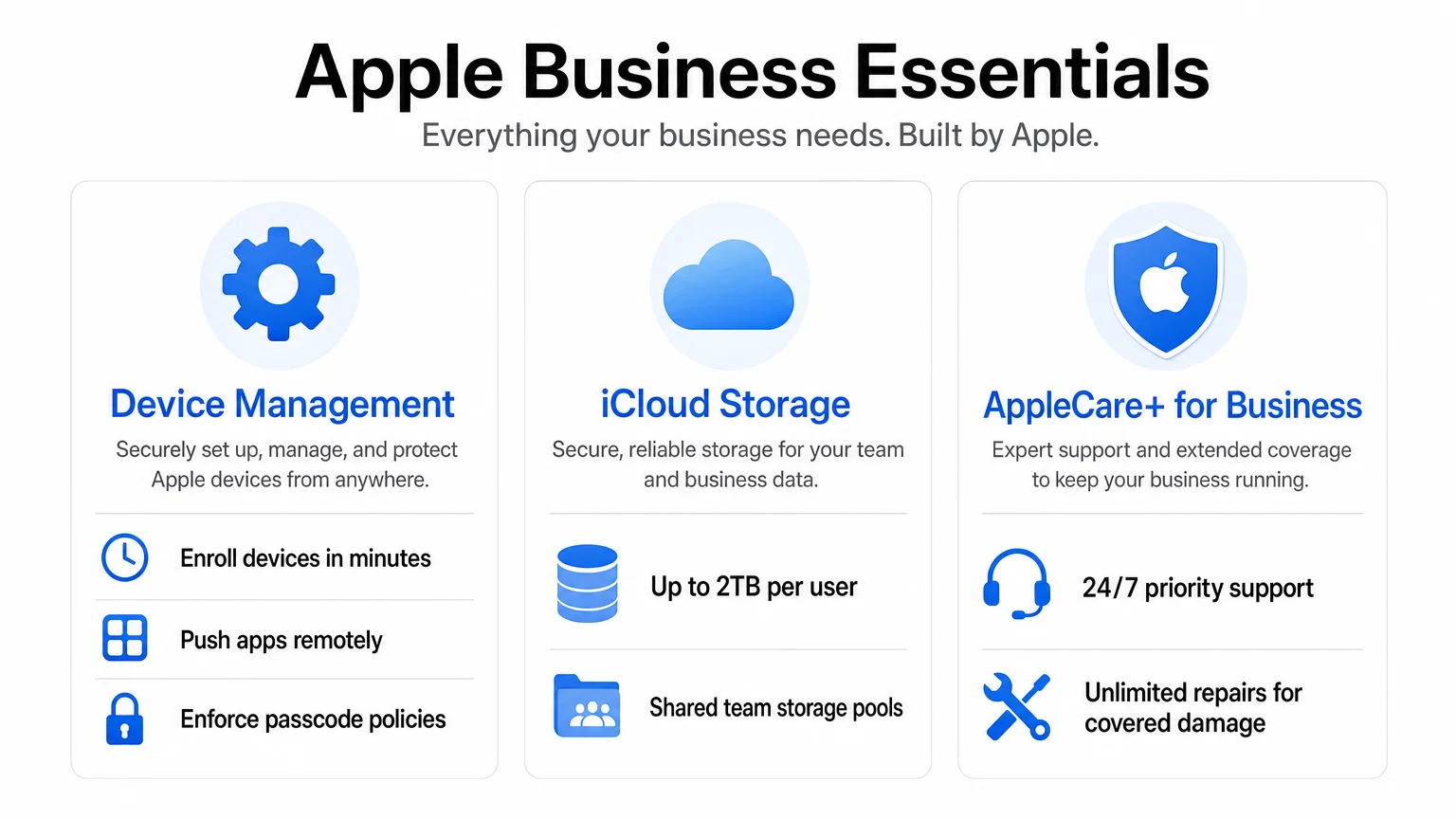
The MDM layer in Apple Business Essentials lets administrators enroll devices, push apps from the App Store, apply configuration profiles, and remotely wipe or lock devices if they are lost or stolen. Enrollment can happen automatically when a new device is purchased through Apple or an authorized reseller and linked to your Apple Business Manager account — a process called Automated Device Enrollment (ADE).
For existing devices already in use by employees, manual enrollment is also possible through the Apple Business Essentials app, which is available on the App Store. Once enrolled, the admin console (accessed via businessessentials.apple.com) shows device status, installed apps, and storage usage across the organization.
Key management capabilities include:
- App deployment: Push free or purchased App Store apps to devices without requiring employees to use personal Apple IDs.
- Configuration profiles: Enforce Wi-Fi settings, VPN configurations, passcode requirements, and restrictions.
- Collections: Group devices or users and apply settings in bulk — useful when onboarding a new hire.
- Remote wipe: Remove all data from a device if it is lost, stolen, or an employee leaves the company.
This is not enterprise-grade MDM. Businesses with complex compliance requirements, large fleets, or mixed-OS environments will likely need a dedicated platform. For straightforward Apple-only teams, though, it covers the essentials competently.
How Should Small Businesses Set Up Apple Business Essentials Effectively?
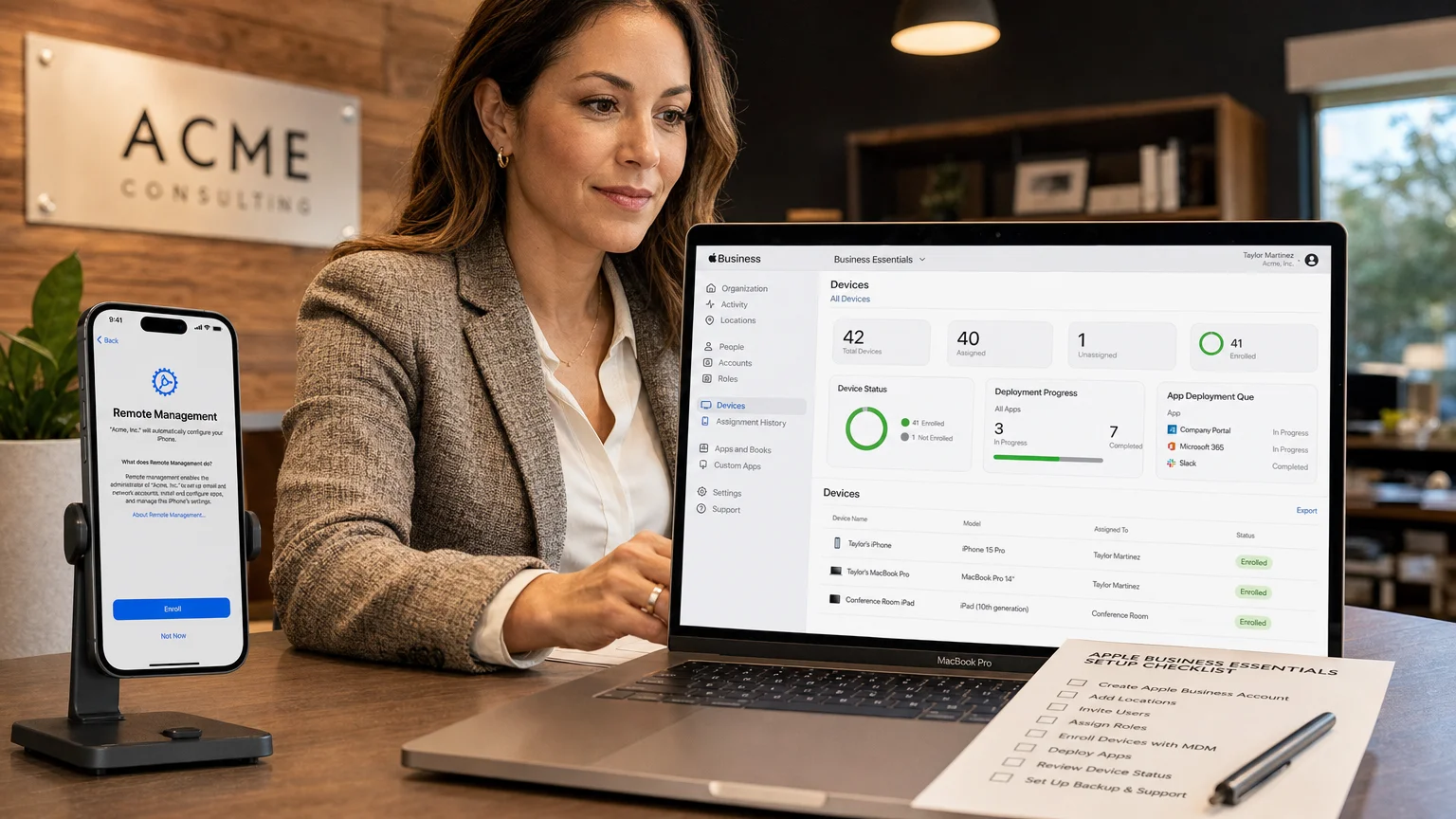
Getting the most from Apple Business Essentials starts before the first device is enrolled. The setup sequence matters, and skipping steps early creates administrative headaches later.
Step 1: Create or verify your Apple Business Manager account. Apple Business Essentials requires an active ABM account. If your business already uses ABM for app purchasing, you can connect Essentials directly. If not, enrollment requires a D-U-N-S number and takes a few business days for Apple to verify.
Step 2: Assign roles carefully. ABM distinguishes between Administrators, People Managers, and Device Enrollment Managers. In a small business, one person often holds all roles — but separating them reduces the risk of accidental changes.
Step 3: Create Collections before enrolling devices. Collections are groups of users or devices that share the same apps and settings. Building these first (e.g., “Sales Team,” “Design Team,” “Management”) means new devices are configured correctly the moment they enroll.
Step 4: Purchase apps through ABM, not personally. Apps bought through ABM can be reassigned to different users or devices. Apps purchased with a personal Apple ID cannot be managed or transferred.
Step 5: Communicate with employees before enrollment. Enrolling a personal device into MDM is a significant step. Employees should understand what the company can and cannot see. Apple’s MDM framework does not allow employers to read messages, view photos, or access personal data on personal devices enrolled in User Enrollment mode.
For teams concerned about the broader security posture of their Apple devices, the annual Mac security checkup checklist pairs well with an ABE deployment.
Is Apple Business Essentials Worth the Cost for Small Businesses?
For a five-person team on the Business tier, the total cost is $34.95 per month — roughly $420 per year. That includes 200GB of iCloud storage per user and AppleCare+ coverage for up to three devices each. Purchased separately, AppleCare+ for a MacBook alone costs $99–$179 per year depending on the model. The storage and MDM layer on top of that make the Business tier genuinely competitive.
The calculus changes for very small teams (one to two people) where the management overhead is minimal and AppleCare+ can be purchased individually at comparable cost. It also changes for businesses that already pay for a third-party MDM platform — adding ABE on top would be redundant.
If you are weighing the overall cost of building an Apple-based work environment, the realistic breakdown of the true cost of the Apple ecosystem provides useful context for budgeting decisions.
What Are the Limitations of Apple Business Essentials?
Apple Business Essentials is deliberately scoped. Understanding what it does not do prevents frustration after deployment.
- No Windows or Android management. It is Apple-only. Mixed-device environments need a cross-platform MDM.
- No advanced compliance reporting. Regulated industries (healthcare, finance) typically require audit logs and reporting that ABE does not provide.
- No on-premise deployment option. Everything runs through Apple’s cloud infrastructure.
- Storage is per-user, not pooled. A user with 2TB who uses 50GB cannot share the remainder with a colleague.
- Limited app configuration. Managed app configuration (pushing settings into apps automatically) is supported, but the depth varies by app.
For businesses that outgrow these constraints, platforms like Jamf Pro, Mosyle, or Kandji offer significantly more control — at significantly higher cost and complexity.
How Does Apple Business Essentials Fit Into a Broader Apple Workflow?
Small businesses that run Apple hardware often build workflows around a cluster of Apple services: iCloud Drive for file storage, Apple Mail or third-party clients for email, FaceTime and Messages for communication, and the App Store for productivity tools. ABE sits at the infrastructure layer beneath all of that — ensuring devices are configured consistently, apps are licensed properly, and lost hardware does not become a data breach.
Teams considering new hardware as part of this setup will find the MacBook Air vs. MacBook Pro comparison useful for deciding which machines to deploy. For privacy-conscious teams, the guide to setting up a privacy-first iPhone in 2026 complements the security configurations available through ABE’s MDM profiles.
Conclusion
Apple Business Essentials is a practical, well-priced entry point for small businesses that want consistent device management without hiring an IT team or deploying enterprise software. It is not a complete MDM solution for complex environments, but for teams of five to fifty people running Apple hardware, it covers the most important bases: remote enrollment, app deployment, security configuration, cloud storage, and hardware support.
The key to using it effectively is treating setup as a deliberate process — building your Collections, purchasing apps through ABM, and communicating clearly with employees before enrollment begins. Done right, it reduces the administrative friction that comes with managing a growing fleet of Apple devices.
For more on building a productive Apple-based work environment, explore the Mac section at We Are MacWise or read how a freelance designer replaced their entire PC workflow with a Mac Studio for a real-world perspective on Apple hardware in professional settings.
Frequently Asked Questions
Does Apple Business Essentials work with existing devices?
Yes. Existing iPhones, iPads, and Macs can be enrolled manually using the Apple Business Essentials app from the App Store. Automated Device Enrollment, which configures devices during initial setup, applies only to new devices purchased through Apple or an authorized reseller linked to your Apple Business Manager account.
Can employees use enrolled devices for personal tasks?
Yes, with caveats. Devices enrolled in Device Enrollment mode are fully managed, meaning the organization controls the device. Devices enrolled in User Enrollment mode (typically personal devices) keep personal data separate and private. Employers cannot access personal apps, photos, or messages on User Enrolled devices.
What happens to a device if an employee leaves?
An administrator can remotely wipe a managed device through the ABE console, removing all organizational data and returning the device to factory settings. For User Enrolled personal devices, only the managed apps and data are removed — personal content is preserved.
Is Apple Business Essentials the same as Apple Business Manager?
No. Apple Business Manager (ABM) is a free web portal for managing Apple IDs, devices, and app licenses. Apple Business Essentials is a paid subscription that adds MDM, iCloud storage, and AppleCare+ on top of ABM. ABE requires an ABM account to function.
How many devices can one user have under Apple Business Essentials?
The Essentials plan ($2.99/month) covers one device per user. The Business ($6.99) and Business+ ($12.99) plans cover up to three devices per user. A user with a Mac, iPhone, and iPad would need the Business or Business+ tier.
Can I manage app licenses through Apple Business Essentials?
App licenses are managed through Apple Business Manager, which is the underlying platform. Through ABM, you can purchase app licenses in volume and assign them to users or devices. ABE's management layer then handles the actual deployment of those apps to enrolled devices.
Is there a free trial available?
Apple has offered trial periods for Apple Business Essentials at various points since launch. Availability may vary — check the Apple Business Essentials page directly for current promotional terms before committing.
Founder and editor of We Are MacWise, with more than 30 years of Apple-focused IT experience helping professionals and small businesses.
