Founder and editor of We Are MacWise, with more than 30 years of Apple-focused IT experience helping professionals and small businesses.
Apple offers two different subscription decisions that are often confused: iCloud+ adds storage and privacy-oriented features, while Apple One bundles iCloud+ with entertainment and fitness services. The right choice depends on the storage you actually use and the subscriptions you would pay for independently.
Quick recommendation: Choose standalone iCloud+ when your main need is backup, photo sync, files, or privacy features. Consider Apple One only when you already use enough included services for the bundle to cost less than your real à-la-carte total.
Editorial note: We Are MacWise is independent and is not affiliated with Apple. Prices and plan terms can change. When affiliate links are added, we may earn a commission at no extra cost to you; recommendations are based on fit and value, not commission.
What iCloud+ includes
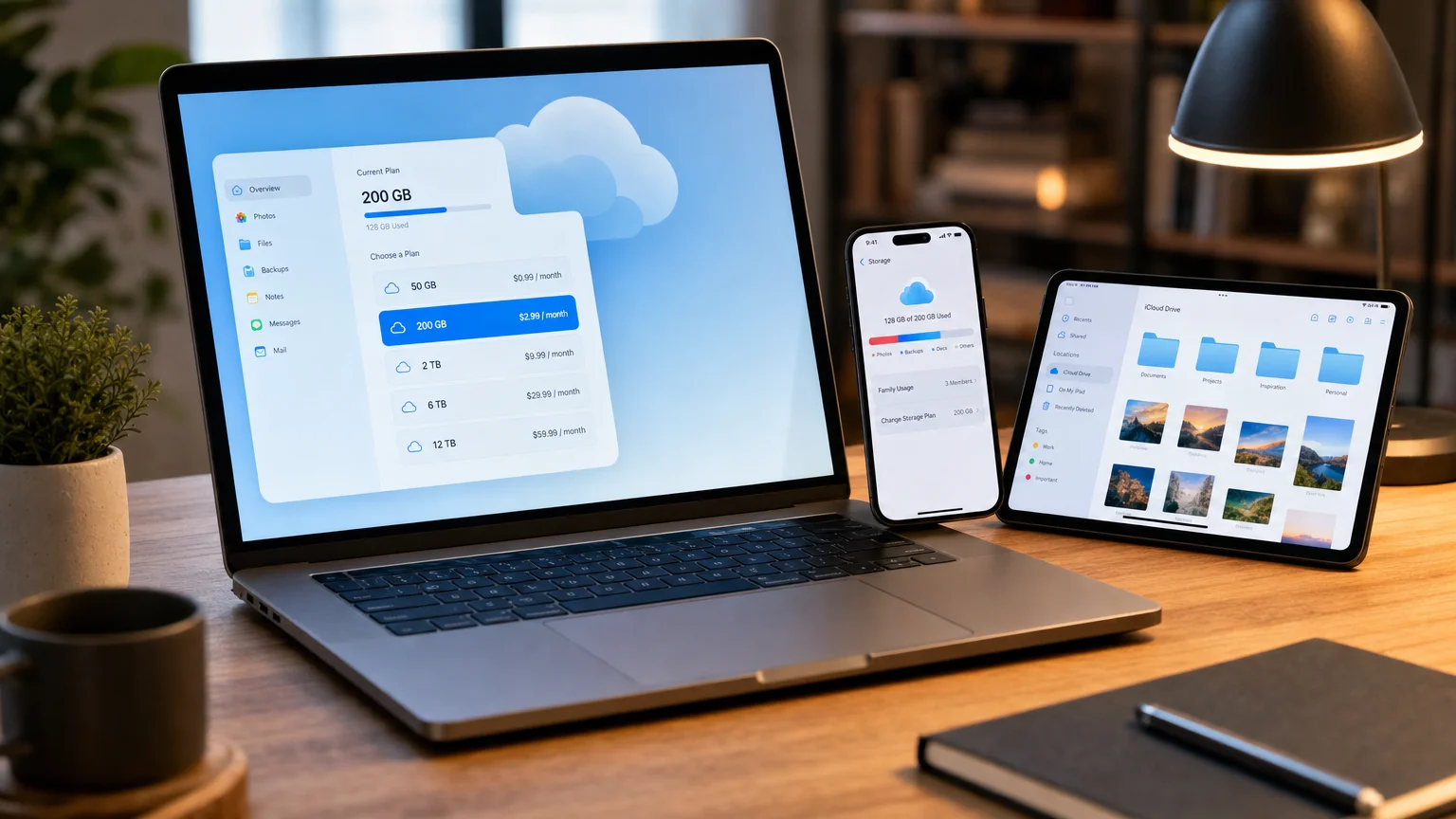
iCloud+ combines additional cloud storage with premium features. Apple currently offers storage capacities of 50GB, 200GB, 2TB, 6TB, and 12TB, with regional pricing shown in your device settings.
Paid plans can include:
- iPhone and iPad backups
- iCloud Photos and iCloud Drive storage
- Hide My Email
- iCloud Private Relay where available
- Custom Email Domain for iCloud Mail
- HomeKit Secure Video support
- Apple Invites features
- Family Sharing of the plan without exposing each person’s private files
Apple’s free 5GB allowance is shared across backups, photos, files, mail, and supported app data. For many people it is not enough for a complete device backup plus photos.
Which iCloud+ storage tier fits?
50GB
Best for one light user who mainly wants an iPhone backup, modest files, and access to iCloud+ features. It can become cramped quickly when iCloud Photos or Messages contains years of media.
200GB
A practical middle tier for an individual with a growing photo library or a small household using Family Sharing. Check current usage before choosing it; several active devices can fill it faster than expected.
2TB
A better fit for families, photographers, video creators, or people using iCloud Drive extensively. It also appears in Apple One Premier. Do not buy it automatically if large libraries already live in another cloud service.
6TB and 12TB
These tiers serve very large photo, video, and file libraries. At this scale, consider backup strategy, upload bandwidth, and recovery—not just monthly storage price.
What Apple One includes
In the United States, Apple currently lists three monthly Apple One tiers:
| Plan | Included iCloud+ storage | Best fit |
|---|---|---|
| Individual | 50GB | One person using Music, TV+, and Arcade |
| Family | 200GB | A household sharing eligible services |
| Premier | 2TB | A household also using News+ and Fitness+ |
Apple’s current U.S. list prices are $21.95 per month for Individual, $27.95 for Family, and $39.95 for Premier. Verify pricing and availability in your country before subscribing.
Individual and Family bundle Apple Music, Apple TV+, Apple Arcade, and iCloud+. Premier adds Apple News+ and Apple Fitness+. Service availability varies by country and region.
The only Apple One calculation that matters
Do not compare Apple One with the theoretical price of every included service. Compare it with what you would genuinely keep paying for.
Use this calculation:
Subscriptions you would keep + required iCloud+ tier − Apple One price = real monthly savings
If you would never buy Arcade, News+, or Fitness+ separately, they should contribute $0 to your personal value calculation. A bundle is not a saving when it persuades you to pay for services you do not use.
Review the last three months of usage. If a bundled service has not been opened, remove it from the value calculation.
iCloud+ versus other cloud services
iCloud is strongest for Apple-device backup, Photos, settings, Messages syncing, and a low-friction Apple workflow. It is not automatically the best tool for every file or team.
Consider another service when you need:
- Equal access across Windows, Android, Linux, and Apple devices
- Collaborative document workflows tied to Microsoft 365 or Google Workspace
- Advanced team administration, retention, or compliance controls
- File-delivery and client-review tools for creative work
- A vendor-independent backup strategy
Many people should use more than one service: iCloud for device backup and Apple-specific syncing, plus OneDrive, Google Drive, Dropbox, or another provider for work collaboration. Avoid syncing the same working folder through two desktop sync engines at once, which can create conflicts.
Sync is not the same as backup
iCloud sync keeps changes aligned across devices. If a file or photo is deleted and that deletion synchronizes, the deletion can propagate. Recently Deleted offers a recovery window, but it is not a substitute for an independent backup.
For important data, use a layered plan:
- Keep iCloud for device continuity and supported backups.
- Maintain a separate Mac backup, such as Time Machine.
- Keep an additional protected copy of irreplaceable files.
- Test recovery before an emergency.
Privacy and security considerations
iCloud+ includes useful privacy features, but their scope matters.
Private Relay helps protect Safari browsing and related unencrypted traffic. It is not a full VPN and does not provide arbitrary country selection.
Hide My Email creates random forwarding addresses, reducing exposure of your primary address and making unwanted senders easier to cut off.
Custom Email Domain allows an owned domain to work with iCloud Mail and can be shared with family members, subject to Apple’s current limits.
Advanced Data Protection extends end-to-end encryption to additional iCloud data categories. It increases privacy but also makes account recovery your responsibility. Set up recovery methods carefully before enabling it.
How to choose in five minutes
- Open iCloud storage settings and record current usage by category.
- Estimate growth for photos, video, backups, and family members.
- List the Apple subscriptions you would independently keep.
- Compare standalone iCloud+ with the appropriate Apple One tier.
- Check whether work files require a different collaboration platform.
- Confirm current regional prices and trial terms.
- Put a calendar reminder three months after subscribing to reassess usage.
Common buying mistakes
- Choosing the smallest tier without allowing room for the next backup
- Treating every bundled service as savings
- Paying for duplicate storage through Apple, Google, Microsoft, and Dropbox without a purpose for each
- Assuming cloud sync replaces an independent backup
- Enabling Advanced Data Protection without reliable recovery methods
- Moving a large library before testing export and recovery
Bottom line
For an Apple-first household, iCloud+ is usually the simplest storage and backup foundation. Apple One can be excellent value when its included services match subscriptions you already use. Cross-platform professionals may get better collaboration from another provider while retaining a smaller iCloud+ plan for Apple-specific functions.
Measure current usage, calculate value using only services you would pay for, and review the decision regularly. That approach is more reliable than choosing a bundle because its advertised savings look large.
Frequently Asked Questions
What iCloud+ storage sizes are available?
Apple currently offers 50GB, 200GB, 2TB, 6TB, and 12TB iCloud+ plans, in addition to the free 5GB allowance. Prices vary by country and should be confirmed in your device settings.
Can iCloud+ be shared with family members?
Yes. Family Sharing can share an iCloud+ plan with up to five other family members while each person’s files and photos remain private. The shared storage pool is used collectively.
When is Apple One worth it?
Apple One is worth considering when the price is lower than the subscriptions and iCloud+ storage you would genuinely keep paying for separately. Services you would not buy should not count as savings.
What happens when iCloud storage is full?
New backups and syncing can stop until you free space or upgrade. Review the storage breakdown before deleting anything, and preserve an independent copy of important data.
Does iCloud work with Windows and Android?
Apple provides iCloud for Windows and web access to selected iCloud services. Android integration is more limited, so people working across platforms may prefer a separate collaboration or file-storage service.
Is iCloud Private Relay a VPN?
No. Private Relay is designed mainly for Safari browsing and related unencrypted traffic. It does not route every app like a traditional VPN or let you appear to browse from an arbitrary country.
Can I use iCloud and another cloud service together?
Yes. A common setup uses iCloud for Apple backups and syncing and another service for workplace collaboration. Avoid having two sync tools manage the same folder simultaneously.
Does iCloud replace a backup?
No. Synchronization can propagate changes and deletions. Keep an independent backup—such as Time Machine for a Mac—and test that important files can be restored.
Founder and editor of We Are MacWise, with more than 30 years of Apple-focused IT experience helping professionals and small businesses.
