
Founder and editor of We Are MacWise, with more than 30 years of Apple-focused IT experience helping professionals and small businesses.
More than 600 million iPads have been sold since the device launched in 2010, yet a significant portion of owners use theirs without a single accessory beyond a charging cable. That’s a missed opportunity — the right add-ons can turn an iPad into a genuine workstation, a professional drawing tablet, or a focused reading device. This guide covers the best iPad accessories worth buying right now, organized by category, with honest assessments of who each product actually serves.
Key Takeaways
- The Apple Pencil Pro is the strongest stylus Apple has made, but it only works with M-series iPad Pro and iPad Air models.
- A Magic Keyboard Folio or third-party keyboard case is the single biggest productivity upgrade for most iPad owners.
- USB-C hubs have become essential for iPad Pro users who need to connect external displays, SD cards, or multiple peripherals.
- Cases and stands are not glamorous, but a poor choice here causes daily friction that undermines every other investment.
- Not every accessory is worth buying for every user — the right pick depends heavily on how and where you use your iPad.
- AirPods Pro remain the best audio companion for iPad, especially for focus work and video calls.
- Budget-conscious buyers can find excellent third-party alternatives from Logitech, Anker, and ESR without sacrificing core functionality.
- Spending thoughtfully on accessories is part of understanding the true cost of the Apple ecosystem.
What Makes an iPad Accessory Actually Worth Buying?
An accessory earns its place when it removes friction, extends capability, or protects an investment — not simply because it exists. The best iPad accessories worth buying right now share three qualities: they integrate reliably with iPadOS, they are built to last at least as long as the iPad generation they accompany, and they solve a real problem rather than a hypothetical one.
Before spending anything, identify your primary use case. A student taking handwritten notes has completely different needs from a creative professional running Procreate on an iPad Pro M4, and both differ from a business traveler who primarily reads documents and joins video calls. Every recommendation below is framed around use case first.
Which Stylus Should You Buy for Your iPad?
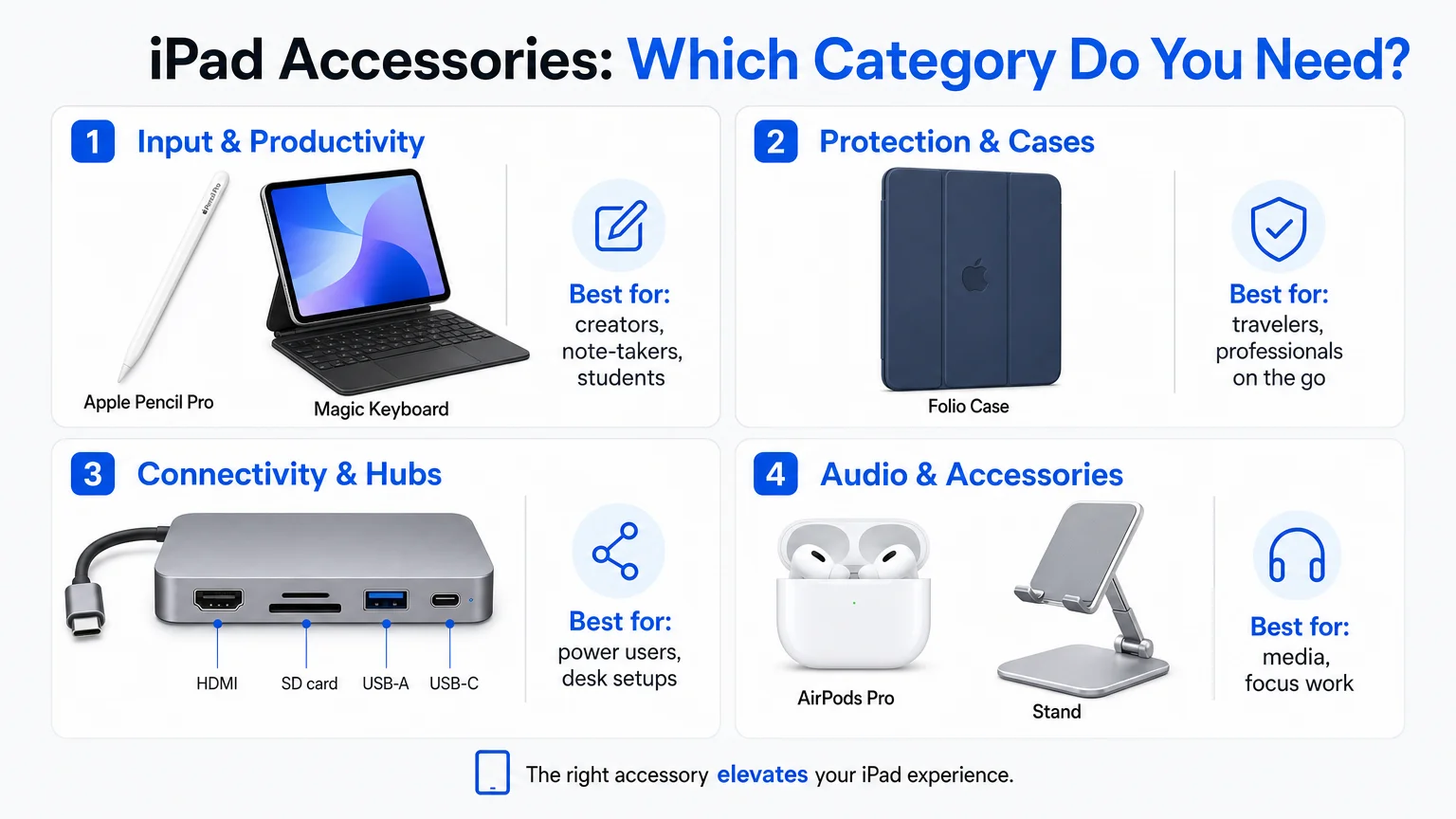
The Apple Pencil Pro, released in 2024, is the clearest answer for anyone with a compatible device — specifically the iPad Pro (M2 and later) and iPad Air (M2 and later). It adds squeeze gestures, barrel roll support for rotating brush tools in apps like Procreate and Adobe Fresco, and haptic feedback that makes tool switching feel physical rather than purely visual. Latency is imperceptible in normal use.
For older iPads or buyers watching their budget, the Apple Pencil (USB-C) is a capable and significantly cheaper alternative. It lacks pressure sensitivity at the level of the Pro and has no tilt detection, but for annotation, basic sketching, and form-filling, it handles the job without complaint. Logitech’s Crayon remains a reliable third option for education environments where durability and cost matter more than precision.
Quick comparison:
| Stylus | Compatible iPads | Key Features | Price Range |
|---|---|---|---|
| Apple Pencil Pro | iPad Pro M2+, iPad Air M2+ | Squeeze, barrel roll, haptics | ~$129 |
| Apple Pencil (USB-C) | Most USB-C iPads | Basic pressure, tilt | ~$79 |
| Apple Pencil (2nd gen) | iPad Pro 2018–2021, iPad Air 4/5 | Magnetic charge, double-tap | ~$99 |
| Logitech Crayon | Select iPads | Durable, flat edge | ~$69 |
Is a Keyboard Case Worth It for iPad?
For anyone who types more than a few sentences a day on their iPad, a keyboard case is the single most impactful accessory purchase available. The Magic Keyboard for iPad Pro (M4) is Apple’s best yet — the aluminum construction, trackpad quality, and key travel are all meaningfully improved over prior generations. It is expensive, but it holds its value and genuinely changes how the iPad functions in a desk environment.
The Magic Keyboard Folio, designed for iPad (10th generation), takes a different approach with a detachable keyboard and a back panel that doubles as a kickstand — a more flexible form factor for users who switch frequently between typing and media consumption. Logitech’s Combo Touch is worth considering for iPad Air owners who want similar flexibility at a lower price point; it uses the Smart Connector and includes a solid trackpad without the Apple premium.
What to avoid: cheap Bluetooth keyboard cases with poor key travel, no trackpad, or unreliable pairing. They create more frustration than they solve.
What Are the Best iPad Cases and Stands?
Protection is unsexy but essential. A dropped iPad Pro without a case is an expensive lesson. The best cases balance protection with usability — adding bulk only where it genuinely absorbs impact, and keeping the device light enough to hold for extended reading.
For iPad Pro and iPad Air, Apple’s own Smart Folio is slim and well-made, though it offers only front and back protection with no corner reinforcement. ESR’s Rebound Magnetic Case adds corner protection and a built-in stand at roughly half the price. For maximum protection — field work, travel, or family use — Otterbox Defender remains the standard, though it adds noticeable weight.
Stands deserve more attention than they typically receive. A quality aluminum stand like the Twelve South Compass Pro or the Lululook Foldable Stand turns an iPad into a proper secondary display or video-call camera with minimal desk footprint. For creative professionals who draw, an adjustable arm mount (such as those from Elgato or Moft) allows precise angle control that a fixed stand cannot match.
Do iPad Owners Need a USB-C Hub?
With the iPad Pro’s Thunderbolt port and the iPad Air’s USB-C port, connectivity has improved dramatically — but a single port still creates bottlenecks for anyone running a multi-peripheral setup. A USB-C hub addresses this directly.
The best hubs for iPad balance port selection with power delivery passthrough. Anker’s 552 USB-C Hub (7-in-1) is a consistent recommendation: it offers HDMI 2.0 output (4K at 60Hz), SD and microSD card slots, two USB-A ports, and 100W power delivery passthrough. For users who need Ethernet — particularly in hotel rooms or conference venues with unreliable Wi-Fi — a hub with a dedicated LAN port is worth the slight size increase.
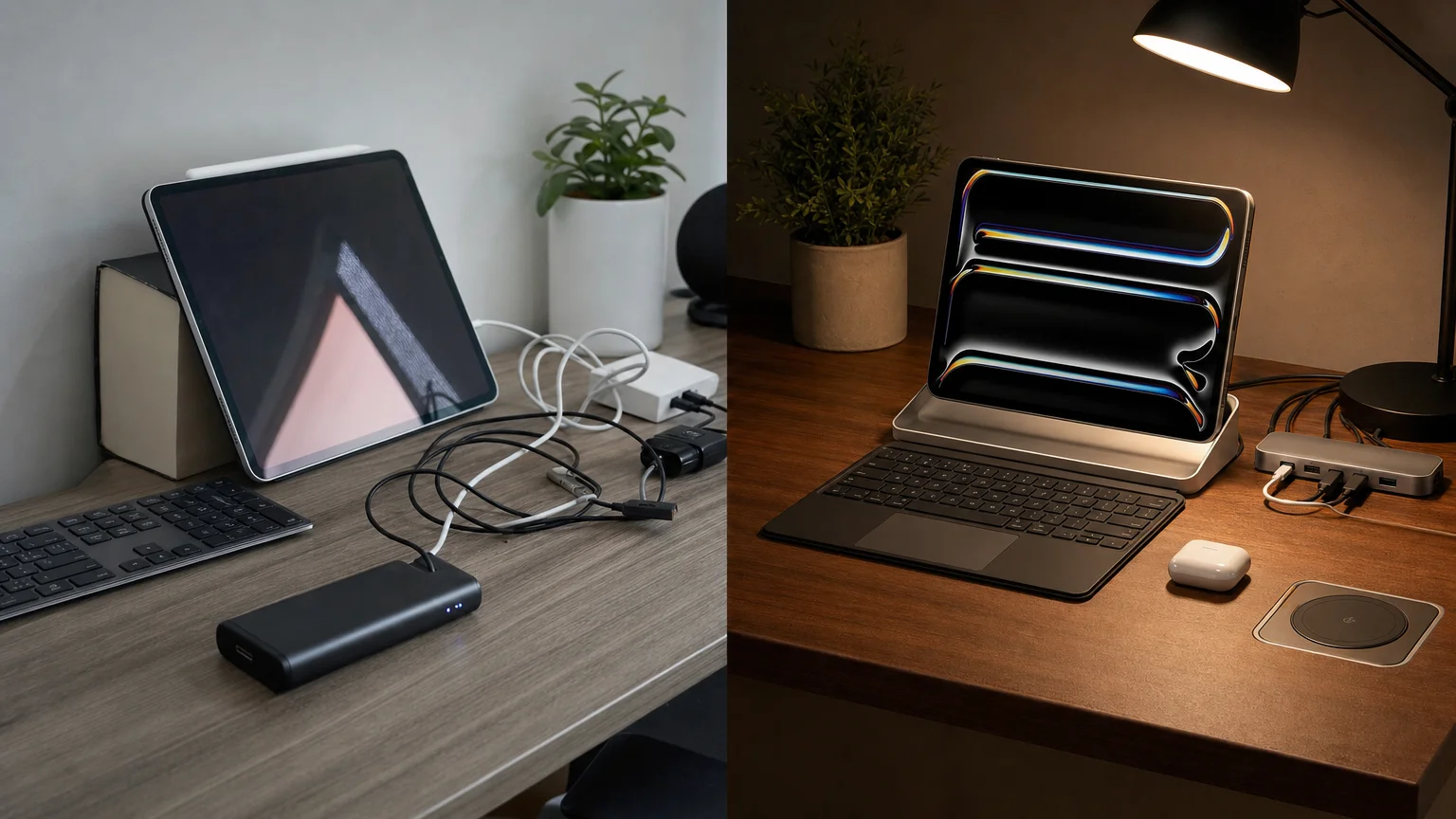
One caution: not all hubs are created equal. Cheap unbranded hubs frequently cause display flickering, inconsistent SD card reads, or power delivery failures. Spending slightly more on a reputable brand avoids these issues entirely. For iPad Pro users building a more permanent desk setup, this connects naturally to the kind of workflow discussed in our piece on how a freelance designer replaced their PC workflow with a Mac Studio — the principles of building a reliable, cable-managed workspace apply equally to iPad-centric setups.
What Audio Accessories Work Best With iPad?
AirPods Pro (2nd generation) remain the strongest all-around audio choice for iPad users. Adaptive Audio, Transparency mode, and Conversation Awareness all work natively with iPadOS, and the spatial audio implementation in video apps is genuinely impressive on a large iPad display. For those already in the Apple ecosystem, AirPods Pro also pair instantly across iPhone, iPad, and Mac via iCloud.
For desk use, a quality USB-C or Bluetooth speaker adds warmth that iPad’s built-in speakers — good as they are on the iPad Pro — cannot fully replicate. The Sonos Era 100 and the JBL Charge 5 are both well-regarded options depending on whether portability or audio quality is the priority.
Wired headphones via USB-C are increasingly viable on iPad Pro, particularly for audio professionals who need zero-latency monitoring. A USB-C to 3.5mm adapter (Apple’s own or a quality third-party version) works reliably, though it occupies the sole port — a hub becomes useful here again.
Are Third-Party Accessories Reliable Enough for Daily Use?
Consistently, yes — with caveats. The accessory market around iPad has matured considerably. Brands like Logitech, Anker, ESR, Twelve South, and Belkin have years of track records with Apple hardware, and their products frequently match or exceed Apple’s own offerings in specific categories (particularly cases, hubs, and stands) while undercutting on price.
The main area where first-party still leads is deep iPadOS integration. Apple Pencil’s haptic feedback, the Magic Keyboard’s function row and Secure Enclave pairing, and MagSafe-compatible accessories all rely on software hooks that third parties cannot fully replicate. For everything else — protection, connectivity, audio, and ergonomics — the third-party market is genuinely competitive.
If you’re evaluating the broader financial picture of building out an Apple device setup, the article on the true cost of the Apple ecosystem offers a grounded breakdown worth reading before committing to a full accessory stack.
The Bottom Line
The best iPad accessories worth buying right now are the ones that match how you actually use your device — not the most expensive options, and not the cheapest. A well-chosen Apple Pencil, a keyboard case that fits your workflow, a reliable USB-C hub, and a protective case will serve most users well for the full lifespan of their iPad. Beyond that, audio and ergonomic accessories like stands and AirPods add genuine quality-of-life improvements for specific use cases.
For a broader look at how iPad fits into the Apple device picture, the guide on MacBook Air vs. MacBook Pro is a useful companion read — particularly if you’re weighing whether a fully accessorized iPad can replace a laptop for your workflow. And if you’re building out a privacy-conscious Apple setup alongside your new accessories, setting up a privacy-first iPhone in 2026 covers the foundational steps worth taking across all your Apple devices.
Frequently Asked Questions
Which iPad accessories are worth buying for students?
For students, the Apple Pencil (USB-C) and a keyboard case — either Apple's Magic Keyboard Folio or Logitech's Combo Touch — cover the most ground. A slim folio case for protection and AirPods for focused study sessions round out a practical, affordable setup.
Does the Apple Pencil Pro work with all iPads?
No. The Apple Pencil Pro is compatible only with iPad Pro (M2 chip and later) and iPad Air (M2 chip and later). Older iPads require the Apple Pencil 1st or 2nd generation, or the Apple Pencil USB-C, depending on the model.
Is the Magic Keyboard worth its high price?
For users who type frequently on their iPad and want a trackpad experience close to a laptop, the Magic Keyboard is worth the investment. For occasional typists or those primarily using their iPad for media consumption, a less expensive keyboard case or no keyboard at all is a more sensible choice.
What USB-C hub should I buy for iPad Pro?
Anker's 7-in-1 USB-C hubs are a reliable starting point. Look for 4K HDMI output, 100W power delivery passthrough, and SD card slots. Avoid unbranded hubs, which frequently cause display and connectivity issues.
Can I use a monitor with my iPad?
Yes, iPad Pro supports external displays via its Thunderbolt port, and iPad Air supports them via USB-C. You will need a compatible USB-C or Thunderbolt cable and, in most cases, a hub or adapter for full-size HDMI or DisplayPort connections. Stage Manager in iPadOS 16 and later enables proper windowed multitasking on an external display.
Are MagSafe accessories compatible with iPad?
MagSafe as a charging standard is currently iPhone-specific. Some iPad cases and stands use magnetic attachment systems, but they are not MagSafe-compatible in the technical sense. iPad Pro charges via USB-C/Thunderbolt.
What is the best case for iPad Pro M4?
Apple's Smart Folio is the slimmest option with reliable magnetic attachment. ESR's Rebound Magnetic Case adds corner protection at a lower price. For maximum drop protection, Otterbox Defender remains the field-tested choice, though it adds bulk.
Do I need an accessory bundle, or should I buy individually?
Buying individually is almost always better. Bundles frequently include low-quality items — particularly cables and screen protectors — that inflate the apparent value without delivering it. Identify your actual needs and buy each item from a reputable brand.
Founder and editor of We Are MacWise, with more than 30 years of Apple-focused IT experience helping professionals and small businesses.
