
Founder and editor of We Are MacWise, with more than 30 years of Apple-focused IT experience helping professionals and small businesses.
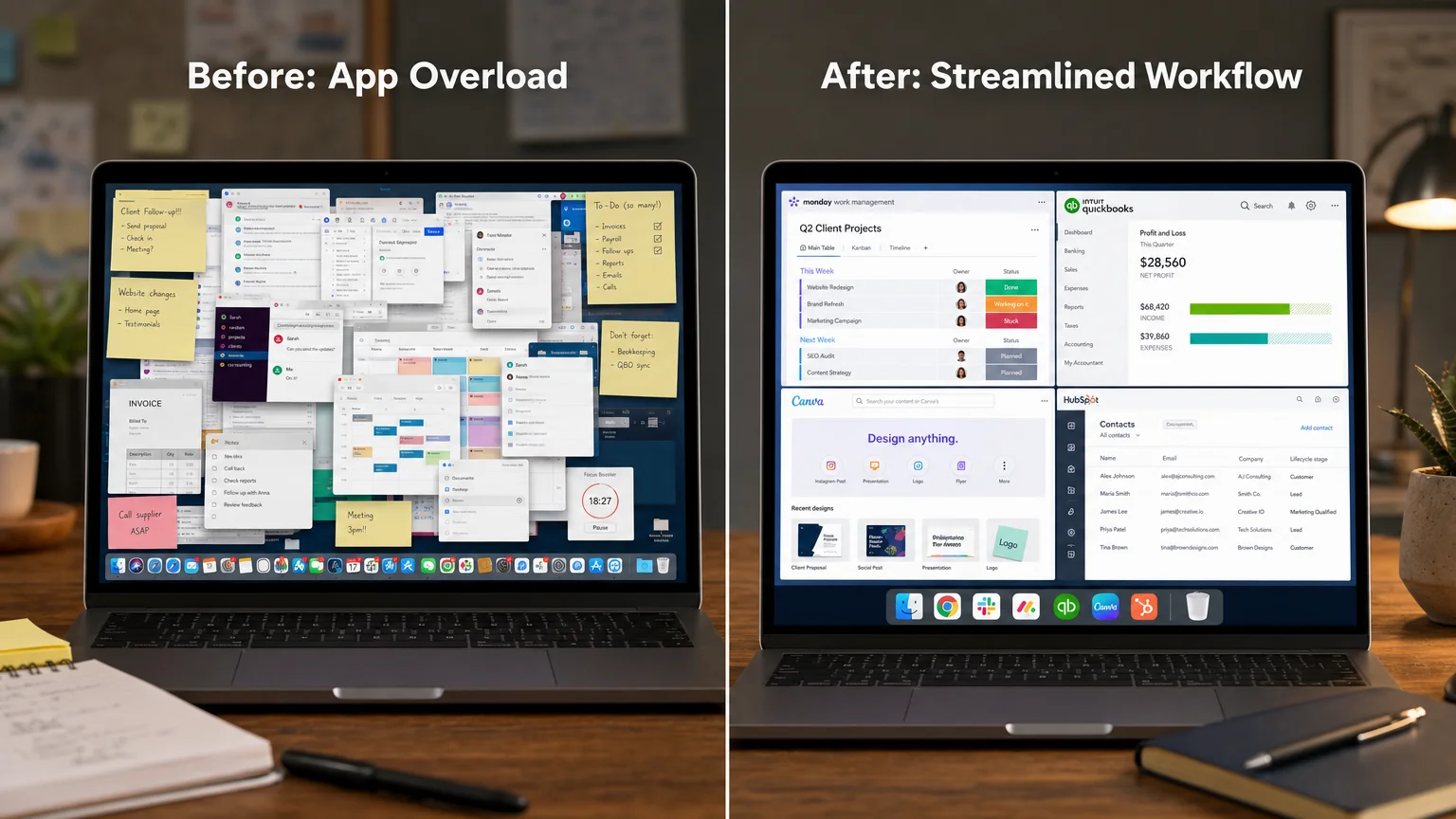
Roughly 60 percent of small business owners report spending more than two hours a day on administrative tasks that the right software could cut in half. Choosing the best Mac apps for small business owners right now is not a matter of downloading everything on the App Store — it is a matter of finding a short list of tools that fit together, stay out of the way, and actually get used.
This guide covers the apps worth paying for in 2026, organized by what they solve, with honest notes on where each one falls short.
Key Takeaways
- The strongest Mac app stack for a small business is usually five to eight tools, not twenty.
- Native macOS apps and well-optimized third-party apps run noticeably better on Apple Silicon Macs than cross-platform Electron apps.
- Accounting and invoicing software should be the first investment — it pays for itself.
- Project management and communication tools are only worth buying if your team will actually adopt them.
- Security and backup are not optional line items; they are infrastructure.
- Many of the best options offer free tiers that are genuinely useful for solo operators.
- Apple Intelligence features built into macOS Sequoia add meaningful value to writing and summarization workflows at no extra cost.
What Makes a Mac App Worth Using for a Small Business?
The best Mac apps for small business owners share a few qualities that generic productivity lists tend to skip. They integrate cleanly with macOS — supporting system-level features like Quick Look, Spotlight search, Handoff, and iCloud sync. They do not require a browser to function. They receive consistent updates. And they have pricing models that make sense at the scale of a five- to fifteen-person operation.
Apps that are built as web wrappers (Electron-based tools) often feel sluggish on older Intel Macs and waste battery on Apple Silicon machines. If your team has recently moved to M-series hardware — something covered in depth in how a 10-person design studio moved to Apple Silicon — native app performance becomes a meaningful factor in your daily experience.
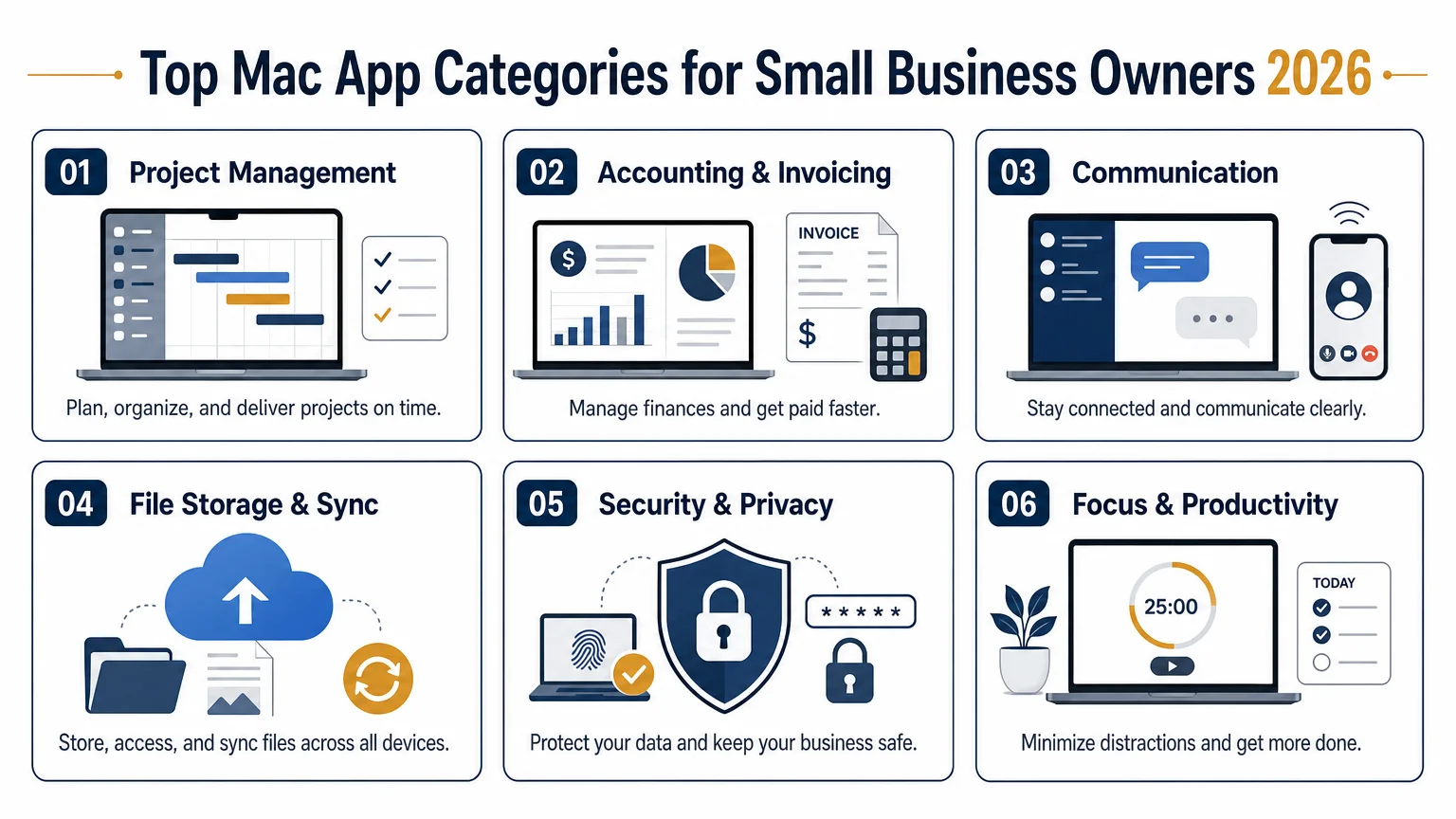
The other filter worth applying: does the app solve one problem well, or does it try to solve ten problems poorly? The latter category is where subscription fatigue begins.
Which Accounting and Invoicing Apps Are Actually Worth the Money?
FreshBooks remains the clearest recommendation for service-based small businesses in 2026. Its Mac app is well-designed, its invoicing workflow takes under two minutes per client, and its time-tracking integrates directly into project billing. The Lite plan covers up to five billable clients, which suits many solo consultants.
QuickBooks Online is the industry default for a reason — accountants know it, banks accept its exports, and it handles payroll, tax prep, and expense categorization in one place. The Mac experience is browser-based, which is a real limitation, but the depth of features justifies it for businesses with more complex finances.
Wave is worth mentioning for bootstrapped operations: invoicing and accounting are free, with payment processing fees only when clients pay online. It is not as polished as FreshBooks, but it is genuinely capable for a solo operator watching costs.
What Are the Best Project Management Tools for Mac in 2026?
Craft has become a standout for Mac-native document and project organization. It is not a full project management suite, but for teams that live in documents — proposals, SOPs, client briefs — it is faster and more pleasant than Notion, and its macOS integration is significantly tighter.
Linear has moved beyond its developer-team origins and now serves small product and service businesses well. Its keyboard-first design and speed on Apple Silicon make it feel like a native Mac app even though it is Electron-based — a rare exception to the performance rule.
Things 3 by Cultured Code is the recommendation for solo owners who need a personal task manager that does not require a team subscription. It is a one-time purchase, syncs across Mac, iPhone, and iPad via iCloud, and has no subscription fee. For someone managing their own workload alongside a simpler shared tool, it is hard to beat.
For teams that need Gantt charts, resource allocation, and client-facing project portals, Teamwork or Asana cover that ground — though both are web-first tools rather than native Mac apps.
How Should Small Business Owners Handle File Storage and Collaboration on Mac?
iCloud Drive with iCloud+ is the path of least resistance for all-Apple teams. Files sync instantly, integrate with Finder, and work offline. For businesses already paying for Apple One or individual iCloud plans, there is no additional cost.
Dropbox still earns its place in mixed-environment teams — those with Windows users, external contractors, or clients who need shared folder access without an Apple ID. Its Paper feature has improved, though most teams use it purely for storage.
Notion sits at the intersection of documentation, wikis, and lightweight project management. It is worth trialing if your team needs a shared knowledge base. The free tier is generous, and the Mac app has improved considerably, though it still uses more memory than a native equivalent.
What Communication Apps Work Best in a Mac-First Business?
Slack is the default for a reason — its search, integrations, and thread management are genuinely useful for teams of three or more. The free plan limits message history to 90 days, which is a meaningful constraint; the Pro plan at $7.25 per user per month resolves it.
Mimestream is the best Gmail client on Mac in 2026. If your business runs on Google Workspace, Mimestream replaces the browser tab with a native macOS app that supports keyboard shortcuts, swipe gestures, and system notifications properly. It is a subscription, but the experience difference over Gmail in Safari is significant.
For businesses on Apple’s own ecosystem, Apple Mail with iCloud Mail has become more capable under macOS Sequoia, particularly with the summarization and smart reply features powered by Apple Intelligence. If you want a deeper look at what those features actually do in practice, Apple Intelligence: what it does, doesn’t, and who it’s for is worth reading before committing to a third-party mail client.
Which Security and Backup Apps Should Small Businesses Prioritize?
Security is where small business Mac setups most often have gaps. Three categories deserve budget before anything else.
Password management: 1Password is the clear recommendation for teams. It supports shared vaults, fine-grained permissions, and has a well-maintained Mac app. The Teams plan is $19.95 per month for up to ten users. Bitwarden is a capable free alternative for solo operators.
Backup: Backblaze provides continuous cloud backup for $99 per year per computer — one of the strongest value propositions in the Mac software market. It runs silently, backs up external drives, and has a clean restore interface. Time Machine to a local drive is a complement, not a replacement.
VPN: Mullvad or ProtonVPN are the privacy-respecting options for teams that handle client data over public or shared networks. Both have Mac apps with kill switches and no-logs policies. For a broader review of privacy settings worth configuring on your Apple devices, iPhone privacy settings every user should review right now covers the principles that apply across the ecosystem.
Are There Focus and Productivity Apps That Actually Change Habits?
Fantastical is the calendar app most Mac-focused professionals eventually land on. Natural language event creation, time zone support, and a unified view of calendars and tasks make it the clearest upgrade from Apple Calendar for anyone managing a busy schedule.
Cleanshot X handles screenshots and screen recording in a way that macOS’s built-in tools do not. For teams that produce documentation, client reports, or how-to guides, it is a $29 one-time purchase that earns its cost in the first week.
Raycast has largely replaced Alfred as the launcher of choice for power users. It is free, extensible, and integrates with dozens of business tools — Jira, GitHub, Notion, Slack — so that common actions happen from a single keyboard shortcut rather than switching between apps.
Comparison: Paid vs. Free Tiers for Core Business Apps
| App | Free Tier | Paid Starting Price | Best For |
|---|---|---|---|
| FreshBooks | No | ~$19/month | Service business invoicing |
| Wave | Yes (invoicing/accounting) | Free (processing fees apply) | Bootstrapped solo operators |
| Things 3 | No | $49.99 one-time | Personal task management |
| Slack | Yes (90-day history) | $7.25/user/month | Team communication |
| 1Password Teams | No | $19.95/month (10 users) | Shared password management |
| Backblaze | No | $99/year/computer | Cloud backup |
| Raycast | Yes | Free (Pro available) | App launcher / automation |
| Mimestream | No | $49.99/year | Gmail on Mac |
The Right Stack Is a Short One
The best Mac apps for small business owners right now are not the ones with the longest feature lists — they are the ones your team opens every morning without thinking about it. Start with accounting, security, and communication. Add project management and file storage once those foundations are stable. Revisit the stack every six months and cut anything that has not earned its subscription.
If you are evaluating new hardware to run these tools on, everything you need to know before buying a refurbished Mac is a practical next read — particularly if budget is a factor in the decision.
Frequently Asked Questions
What are the most essential Mac apps for a new small business?
Start with an accounting or invoicing tool (FreshBooks or Wave), a password manager (1Password or Bitwarden), a cloud backup service (Backblaze), and a task manager (Things 3 for solo work, Linear or Asana for teams). These four categories cover the highest-risk gaps before adding anything else.
Are native Mac apps really better than browser-based tools?
For most daily-use tasks, yes. Native apps start faster, use less battery, integrate with Spotlight and Handoff, and support macOS system features like Quick Look. On Apple Silicon Macs the difference in performance and energy efficiency is measurable.
Is iCloud Drive good enough for small business file storage?
For all-Apple teams, iCloud Drive with iCloud+ is a strong default. It integrates directly with Finder, supports real-time collaboration in Pages, Numbers, and Keynote, and requires no extra setup. Mixed-platform teams or those with external collaborators will find Dropbox more practical.
How much should a small business expect to spend on Mac software per month?
A realistic stack — accounting, password manager, backup, communication, and one project tool — typically runs between $50 and $120 per month for a team of five, depending on tiers chosen. Solo operators can build a capable setup for under $30 per month by using free tiers strategically.
Do Mac apps work better after upgrading to macOS Sequoia?
Many apps have been updated to take advantage of Sequoia's features, including Apple Intelligence writing tools and improved window management. If you are weighing whether to upgrade, [macOS Sequoia vs macOS Ventura: is the upgrade worth it?](/macos-sequoia-vs-macos-ventura-is-the-upgrade-worth-it) covers the practical differences in detail.
Is there a risk to using too many apps?
Yes. Context switching between too many tools is a documented productivity cost. A focused stack of five to eight apps that your team actually uses consistently outperforms a sprawling collection of underused tools. Consolidate before adding.
Should small businesses use Apple's built-in apps or third-party alternatives?
Apple's built-in apps — Mail, Calendar, Notes, Reminders — have improved substantially and are worth using as a starting point, especially for solo operators. Third-party apps earn their place when they solve a specific gap: Gmail integration, advanced invoicing, team collaboration, or power-user automation.
Founder and editor of We Are MacWise, with more than 30 years of Apple-focused IT experience helping professionals and small businesses.
