
Founder and editor of We Are MacWise, with more than 30 years of Apple-focused IT experience helping professionals and small businesses.
Roughly one in five Mac buyers in mature markets now chooses a refurbished or pre-owned unit over a new one, drawn by price gaps that can reach 30–50 percent below retail. That calculus makes sense — but only when the buyer knows what to verify before handing over money. This guide covers every meaningful check, in the order you should perform it, so you can buy with confidence rather than hope.
Key Takeaways
- Confirm Activation Lock is fully cleared before purchase — a locked Mac is essentially unusable without the previous owner’s Apple ID.
- Check battery cycle count against Apple’s published maximums; a MacBook with 900+ cycles on a 1,000-cycle battery is near end-of-life.
- Verify the macOS version is current and that the machine supports the latest release.
- Inspect every port, the display, keyboard, and trackpad in person or via video before committing.
- Understand exactly what warranty or return policy covers you — Apple Certified Refurbished units carry a one-year limited warranty; private sales typically carry none.
- Apple Silicon Macs (M1 and later) have a different hardware architecture than Intel models; confirm compatibility with your software stack.
- Cross-reference the serial number with Apple’s coverage checker to verify warranty status independently.
Why Buying Refurbished Requires a Different Checklist
A new Mac arrives sealed, with a known history of zero. A refurbished Mac arrives with an unknown past — previous owners, potential drops, charging habits, and software configurations that may or may not have been properly reset. The risk is not that refurbished Macs are unreliable; many are excellent. The risk is buying one without the right information.
The checks below are not excessive caution. They are the minimum due diligence for any purchase in this category.
What to Check Before Buying a Refurbished Mac: The Hardware Inspection
Start with the physical machine. Software problems are almost always fixable; hardware damage often is not, or is expensive to remedy.
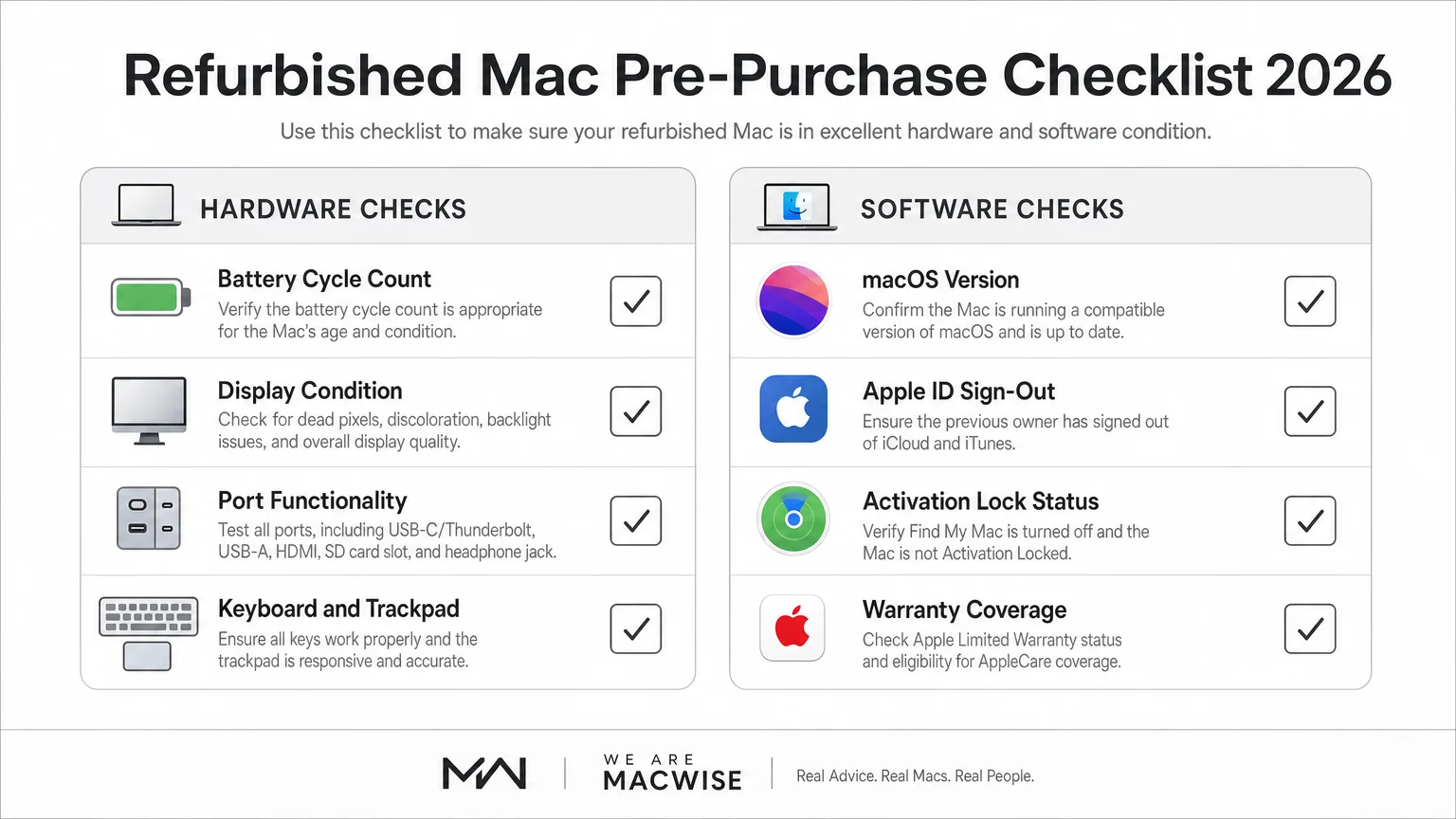
Display: Look for dead pixels, backlight bleed along the edges, and any yellowing or discoloration. On MacBook Pros with ProMotion displays, verify the adaptive refresh rate is functioning — a stuck 60Hz display on a ProMotion panel suggests a fault. Ask the seller to display a solid white screen and a solid black screen in a dimmed room.
Keyboard and trackpad: Every key should register cleanly with no sticking or double-input. The trackpad should click evenly across its surface and respond to multi-touch gestures without lag. MacBook keyboards from 2016–2019 (the butterfly mechanism era) are worth extra scrutiny; later scissor-switch keyboards are more durable.
Ports: Test every port with a cable or device. USB-C/Thunderbolt ports that charge but fail to carry data, or that only work on one side, indicate internal damage. MagSafe connectors should seat magnetically without force.
Battery cycle count: Open System Information (Apple menu → About This Mac → System Report → Power) and note the cycle count. Apple publishes maximum cycle counts by model — most modern MacBooks support 1,000 cycles. A unit at 850+ cycles has limited remaining battery life. Factor in a potential battery replacement cost (typically $129–$199 through Apple) when evaluating the price.
Chassis: Examine the aluminum for dents, deep scratches, or warping. A bent chassis can indicate a drop significant enough to affect internal components even when the screen appears intact.
How to Verify Activation Lock and Apple ID Status
Activation Lock is the single most important check when buying any pre-owned Apple device. If the previous owner did not sign out of their Apple ID and erase the Mac properly, you may receive a machine you cannot use.
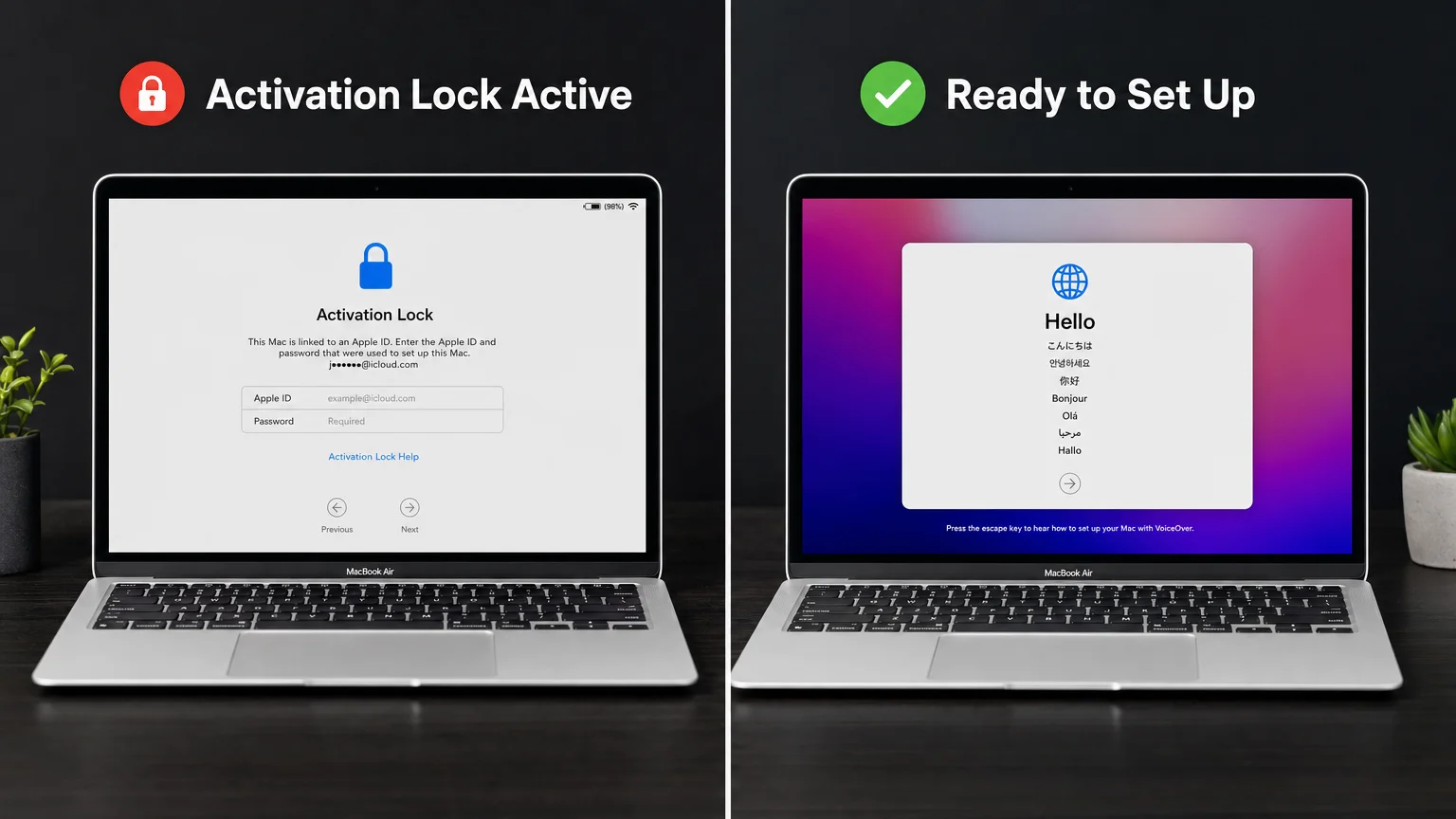
How to check: On macOS Ventura and later, go to System Settings → General → Transfer or Reset → Erase All Content and Settings. If the Mac prompts for an Apple ID and password that is not yours, Activation Lock is still enabled. On older macOS versions, look for the lock icon in System Preferences → Security & Privacy.
Before purchase: Ask the seller to demonstrate that the Mac boots to the macOS setup assistant (the “Hello” screen) with no Apple ID prompt. If buying remotely, request a video showing this screen. If the seller cannot or will not show this, do not proceed.
Serial number check: Visit checkcoverage.apple.com and enter the serial number (found under About This Mac). This confirms whether the device is still registered to an active Apple ID and whether any warranty coverage remains.
For a broader look at the refurbished Mac market — including which sellers are most reliable and how Apple’s own certified program compares to third-party options — Everything You Need to Know Before Buying a Refurbished Mac covers the full picture.
Which macOS Version Does It Run, and Can It Be Updated?
A Mac running an outdated version of macOS is not just a minor inconvenience — it is a security liability. Apple typically supports the current macOS release plus the two prior versions with security patches. A Mac that cannot run macOS Sequoia (the current release as of 2026) will eventually fall outside that support window.
Check the model identifier in About This Mac against Apple’s compatibility list for the current macOS release. Intel Macs from 2017 and earlier are now outside Sequoia support. Any Mac with an M-series chip supports the current release.
If your work depends on specific software — particularly professional audio, video, or design applications — confirm compatibility with both the macOS version and the chip architecture. Some older plug-ins and drivers still lack native Apple Silicon support and require Rosetta 2. For a detailed account of how a real creative team navigated this transition, How a 10-Person Design Studio Moved to Apple Silicon is worth reading before committing to a chip generation.
Apple Certified Refurbished vs. Third-Party Sellers: What the Difference Means
| Source | Warranty | Return Window | Activation Lock Risk | Price Premium |
|---|---|---|---|---|
| Apple Certified Refurbished | 1-year limited | 14 days | None (Apple clears it) | Moderate (10–15% off new) |
| Authorized resellers (e.g., B&H, Adorama) | Varies | Varies | Low | Moderate |
| Third-party refurbishers | 90 days–1 year | Varies | Low–Medium | Higher discount |
| Private sale (eBay, Craigslist, etc.) | None | None | Medium–High | Highest discount |
Apple’s own refurbished store offers the lowest risk at a modest discount. Private sales offer the largest discounts but require the buyer to perform every check independently. Third-party refurbishers sit in the middle — reputable ones grade their units (Grade A/B/C), publish battery health, and offer return windows.
What to Check Before Buying a Refurbished Mac: Software and Data Privacy
A Mac that was not properly erased may contain the previous owner’s files, accounts, or credentials. This is both a privacy concern for them and a potential security concern for you.
Confirm a clean erase: The Mac should boot directly to the macOS setup assistant. If it boots to a desktop with files present, the previous owner’s data was not removed. Do not proceed without a full erase.
Check for MDM enrollment: Some Macs — particularly those from corporate or educational environments — may be enrolled in a Mobile Device Management (MDM) profile. These devices can be remotely locked or wiped by the original organization even after resale. During the setup assistant, a supervised Mac will display an MDM enrollment screen. Walk away from any device showing this unless the seller can provide documented proof of MDM release.
Review installed software licenses: If the seller claims bundled software (Final Cut Pro, Logic Pro, etc.), verify that those licenses are transferable. App Store purchases are tied to an Apple ID and do not transfer with the hardware.
Does the Mac Come with Any Warranty or Coverage?
Warranty coverage is one of the clearest differentiators between refurbished Mac sources. Apple Certified Refurbished units include a one-year limited warranty and are eligible for AppleCare+ purchase within 60 days. Most third-party refurbishers offer 90-day to one-year warranties on parts and labor. Private sales are almost universally as-is.
Check the serial number at Apple’s coverage checker to see if any original warranty or AppleCare coverage remains active — this is transferable and has real value. A Mac with eight months of AppleCare+ remaining is meaningfully different from one with none.
The Bottom Line
Buying a refurbished Mac is a sound financial decision when approached with the right information. The checks above — Activation Lock, battery health, hardware condition, MDM status, macOS compatibility, and warranty coverage — take less than 30 minutes to complete and protect against the most common pitfalls. The goal is not to distrust every seller; it is to verify the things that matter before money changes hands.
For a comprehensive look at the refurbished Mac market, including which models hold their value best and which generations to avoid, read Everything You Need to Know Before Buying a Refurbished Mac. If you are setting up a newly acquired Mac for the first time, the setup guides at We Are MacWise cover the process step by step.
Frequently Asked Questions
Is buying a refurbished Mac from Apple's website safe?
Apple Certified Refurbished Macs are tested, cleaned, repackaged with new accessories, and covered by a one-year limited warranty. They are among the lowest-risk refurbished purchases available and are eligible for AppleCare+ coverage.
How do I check if a Mac has Activation Lock before buying?
Ask the seller to boot the Mac to the macOS setup assistant (the "Hello" screen) with no Apple ID prompt visible. You can also enter the serial number at checkcoverage.apple.com to check its registration status.
What is a good battery cycle count for a used MacBook?
Most modern MacBooks support up to 1,000 charge cycles. A unit below 500 cycles has significant life remaining; one above 800 cycles is approaching the point where battery replacement becomes likely within a year or two of regular use.
Can I add AppleCare+ to a refurbished Mac?
Yes, if the Mac is still within Apple's eligibility window — typically within 60 days of purchase for Apple Certified Refurbished units. For privately purchased Macs, eligibility depends on the original purchase date and whether any existing coverage has lapsed.
What does MDM enrollment mean, and why should I avoid it?
MDM (Mobile Device Management) enrollment means a company or institution has administrative control over the device. Even after resale, the original organization can remotely lock or wipe the Mac. Avoid any refurbished Mac showing an MDM enrollment prompt during setup unless the seller provides documented proof of release.
Are Apple Silicon Macs better to buy refurbished than Intel models?
For most buyers in 2026, yes. Apple Silicon Macs (M1 and later) receive current macOS support, offer better performance-per-watt, and have a longer software support runway ahead of them. Intel Macs are still capable machines but are approaching the edge of Apple's support window.
What should I do if the seller refuses to show me the Mac booting to the setup screen?
Decline the purchase. A seller who cannot or will not demonstrate a clean, unlocked Mac has no verifiable way to prove the device is usable. The risk of receiving an Activation Locked machine is not worth any discount.
Where can I find the serial number on a Mac?
Go to Apple menu → About This Mac. The serial number appears on the Overview tab. On a Mac that will not boot, the serial number is also printed on the bottom of the chassis.
Founder and editor of We Are MacWise, with more than 30 years of Apple-focused IT experience helping professionals and small businesses.
